Riding an e-bike gives you the freedom to travel further, faster, and with less effort. But like any device powered by a battery, e-bikes sometimes act up. Maybe your display shows strange numbers, your battery won’t charge fully, or your power cuts out suddenly.
Often, the solution is a simple reset. Resetting your e-bike battery can fix many common problems and help you get back on the road quickly. But how do you reset an e-bike battery safely and correctly? This article will walk you through each step, explain the reasons for resetting, share practical tips, and answer common questions.
Why Reset An E-bike Battery?
Many e-bike owners wonder why a reset is even necessary. E-bike batteries have a small built-in computer called a Battery Management System (BMS). The BMS checks the battery’s health, balances cells, and keeps things safe. Sometimes, the BMS gets confused by power surges, overcharging, or deep discharges. When this happens, your battery might:
- Charge slowly or not at all
- Lose power quickly
- Show the wrong charge level
- Refuse to power the e-bike
A reset tells the BMS to recheck everything and clear any errors. This is similar to restarting a smartphone or computer when it’s acting strange. Resetting is often the first troubleshooting step before looking for bigger problems.
When Should You Reset Your E-bike Battery?
Resetting is not something you do every day. Here are some moments when a reset makes sense:
- Battery shows 0% charge even after charging
- Sudden power cuts during normal use
- Flashing error codes on the display
- Unusual battery behavior after storage or long periods of non-use
- Battery won’t turn on or connect with your e-bike
If your battery works fine, there’s no need to reset. But if you notice any of these signs, a reset could save you time and money.
Safety First: Preparation Before Resetting
It’s important to stay safe when dealing with batteries. E-bike batteries store a lot of energy, and mishandling them can cause shocks or even fires. Here’s how to prepare:
- Turn off your e-bike and remove the key (if it has one)
- Disconnect the battery from the bike (consult your manual if unsure)
- Check for damage such as cracks, leaks, or bulging
- Work in a dry, cool place away from flammable materials
Never try to reset a damaged battery. If you see leaks or smell chemicals, stop and contact a professional.
Step-by-step Guide: How To Reset An E-bike Battery
The reset process depends on your e-bike’s brand and battery type. Still, most e-bikes follow similar steps. Always check your owner’s manual for special instructions. Here’s a general method that works for many e-bikes:
1. Remove The Battery
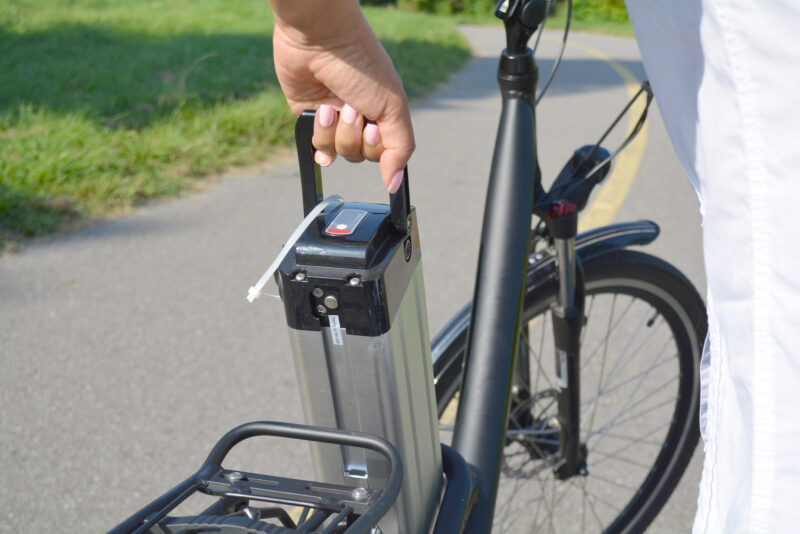
Turn off the bike and carefully remove the battery. Most e-bikes have a release switch or lock. Use both hands to prevent dropping the battery.
2. Check The Battery Indicator
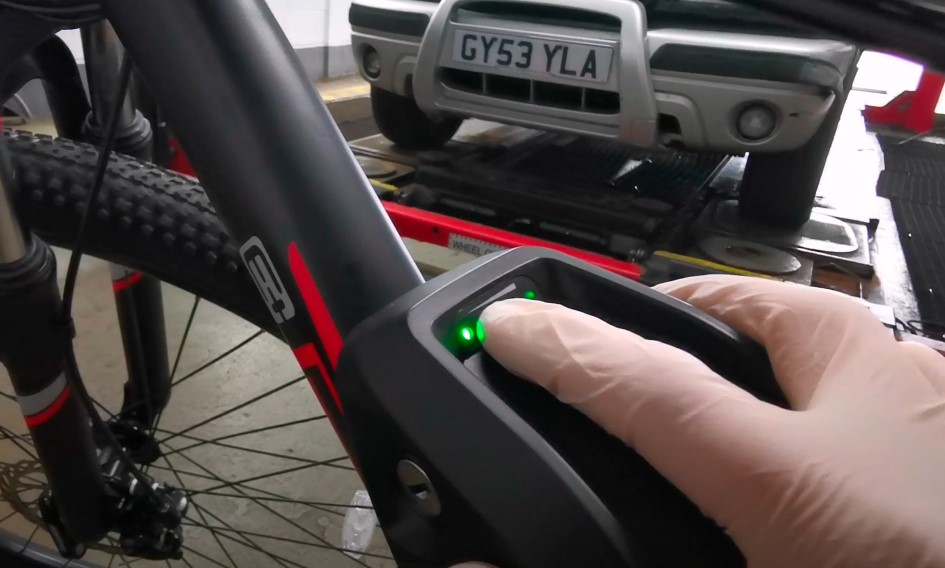
Many batteries have a small button and a row of lights. Press the button to see if any lights show. If nothing happens, your battery may be deeply discharged or in sleep mode.
3. Press The Reset Button (if Available)
Some e-bike batteries have a reset button—usually a small pinhole that you press with a paperclip. Hold it for 10–15 seconds, then release. If your battery doesn’t have this, skip to the next step.
4. Let The Battery Rest
Place the battery on a stable, non-metallic surface. Leave it disconnected for at least 10–15 minutes. This allows the BMS to reset itself.
5. Reconnect And Charge
After resting, reconnect the battery to your charger. Let it charge fully without interruptions. Watch for any unusual behavior, such as blinking lights or error messages.
6. Reinstall And Test
Once charged, place the battery back on your e-bike. Turn on the display and check for normal operation. Go for a short test ride to make sure everything works.
Resetting Different Types Of E-bike Batteries
E-bike batteries come in different styles and brands. The reset steps can change depending on your system.
Bosch E-bike Batteries
Bosch is a popular e-bike system. To reset:
- Remove the battery from the bike
- Hold the power button on the battery for 10 seconds
- Wait 5 minutes, then reinstall and charge
Bosch batteries have a strong BMS. If a reset does not solve the issue, the battery may need service.
Shimano Steps Batteries
Shimano Steps batteries usually reset automatically after a full charge. If you see errors:
- Remove the battery
- Wait 10 minutes
- Recharge fully before using again
Other Brands (yamaha, Giant, Bafang, Etc.)
Most other brands follow the general steps above. Some have an app or display menu that lets you reset software settings. Always check your manual.
Comparing E-bike Battery Systems
To help you understand differences, here’s a quick comparison of reset features among top e-bike battery brands:
| Brand | Manual Reset Button | Automatic Reset | App Support |
|---|---|---|---|
| Bosch | Yes | No | No |
| Shimano Steps | No | Yes | No |
| Bafang | No | No | Yes |
| Yamaha | No | Yes | No |
Common Problems A Reset Can Fix
Resetting your e-bike battery can solve several issues. Here are some examples:
- Display shows wrong battery percentage: After a reset, the BMS recalibrates and gives accurate readings.
- Battery won’t take a full charge: If the BMS was stuck in error mode, a reset allows charging to resume.
- Power cuts out on hills: A BMS error can limit power. Resetting removes this limit if there’s no real problem.
- Battery stuck in sleep mode: Some batteries go to sleep if unused. Resetting wakes them up.
When A Reset Won’t Help
While resetting fixes many small glitches, it won’t solve everything. For example:
- Dead cells: If your battery cells are damaged or very old, resetting won’t bring them back.
- Broken connectors: A loose or corroded connector needs repair, not just a reset.
- Serious BMS faults: If the BMS is physically damaged, professional repair is required.
Don’t keep resetting if the problem returns quickly. Repeated resets can hide bigger issues and even risk your safety.
How Often Should You Reset Your E-bike Battery?
It’s best to reset your e-bike battery only when you notice problems. There’s no benefit to resetting a battery that works well. Too many resets can even stress the BMS. As a rule, only reset when:
- The battery acts strange (see earlier symptoms)
- After long-term storage
- After a firmware update, if recommended by the manufacturer
Real-world Example: Resetting Solves A Charging Problem
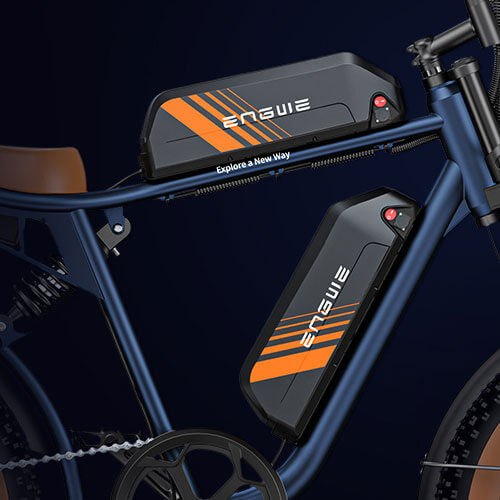
Imagine you store your e-bike all winter. When you try to charge it in spring, the lights flash but it won’t charge. This is a common story. The battery’s BMS entered sleep mode to protect the cells. By removing the battery, letting it rest, and charging again, you reset the BMS and wake up the system.
In most cases, the battery returns to normal after this simple fix.
Credit: us.engwe.com
Tips For Safe And Effective Battery Resets
Resetting is simple, but a few tips can make the process safer and more successful:
- Always use the charger made for your battery. Wrong chargers can damage the BMS.
- Avoid resetting too often. If problems keep happening, seek expert help.
- Keep batteries in a safe, dry place during resets.
- Charge batteries to 60–80% for long-term storage, then reset before using again.
- If your battery gets hot during charging or resetting, unplug and wait for it to cool.
E-bike Battery Maintenance After Resetting
A reset is just the beginning. To keep your battery healthy after resetting:
- Charge after every ride, but avoid keeping it plugged in all the time.
- Avoid deep discharges; recharge when you reach 20–30%.
- Store at room temperature and avoid freezing conditions.
- Clean battery contacts gently with a dry cloth—never use water.
Regular care reduces the need for resets and extends your battery’s life.
Credit: www.merryebike.com
Battery Reset And Warranty: What You Should Know
Many e-bike batteries come with a warranty. If your battery is still under warranty, check the terms before resetting. Some brands recommend that only certified dealers perform resets. If you open the battery case or use unofficial methods, you might void your warranty. When in doubt, contact the manufacturer or an authorized dealer.
Comparing Manual Reset And Professional Service
Some problems need expert help. Here’s a quick comparison of when to reset yourself and when to seek service:
| Situation | Manual Reset | Professional Service |
|---|---|---|
| Display error codes (temporary) | ✓ | |
| Battery won’t charge after storage | ✓ | |
| Leaking or hot battery | ✓ | |
| Repeated power cuts | ✓ |
Non-obvious Insights Most Beginners Miss
Many new e-bike owners think a reset fixes every problem. In reality, it only clears software or minor BMS errors. If your battery is physically damaged, has a swollen case, or smells odd, a reset won’t help and could be dangerous.
Also, don’t use random online “tricks” like freezing or over-discharging your battery—these can destroy it or cause fires.
Another point many overlook: some e-bike displays store their own battery info. After a battery reset, the display might need its own reset or update. Always check both the battery and the display if issues continue.
Where To Get More Help
If you followed all steps and your battery still fails, it’s time to talk to a pro. Many manufacturers have customer service lines and certified repair centers. For more information on e-bike batteries and resets, you can check the official Wikipedia e-bike page.
Credit: efeducationtibcosvb.com
Frequently Asked Questions
What Is A Bms And Why Does It Need Resetting?
The BMS (Battery Management System) is a small computer inside your battery. It keeps the battery safe and balanced. Sometimes it gets confused by power surges or long storage and needs a reset to work correctly.
Can I Reset My E-bike Battery Too Often?
Yes, frequent resets can stress the BMS and mask bigger problems. Only reset when you see clear symptoms, not as part of regular maintenance.
How Do I Know If My Battery Reset Was Successful?
After resetting, your battery should charge normally, and the display should show the correct percentage. If problems continue, try a second reset or seek help.
Is It Safe To Reset The Battery Myself?
As long as you follow safety steps—remove the battery, check for damage, and avoid water—resetting is usually safe. Never open the battery case or try to fix physical issues yourself.
What Should I Do If My Battery Still Doesn’t Work After Resetting?
If the battery stays dead or shows strange behavior after a reset, stop using it. Contact your e-bike maker or a certified service center. Continuing to use a faulty battery can be dangerous.
Resetting an e-bike battery is a simple but powerful tool for solving common issues. With careful steps and a little know-how, you can keep your rides smooth and your battery healthy. Remember, when in doubt, always ask an expert for advice.
Safe travels!